 N1MM Scope Bridge
Install
What you need
- Windows 10 or 11, the PC that runs N1MM Logger+ (see which version you get)
- A Yaesu FT-710, the only supported radio
- N1MM Logger+
Yaesu FT-710
- Connect the radio to the PC with a USB cable.
- On the radio, set OPERATION SETTING → GENERAL → SCU-LAN10 to ON. This setting is what makes the radio send its scope over USB. With it OFF, the scope interface doesn't appear on the PC at all. Then turn the radio off and on, and unplug and replug the USB cable (a power cycle alone isn't enough), so the PC sees the scope device. (More help.)
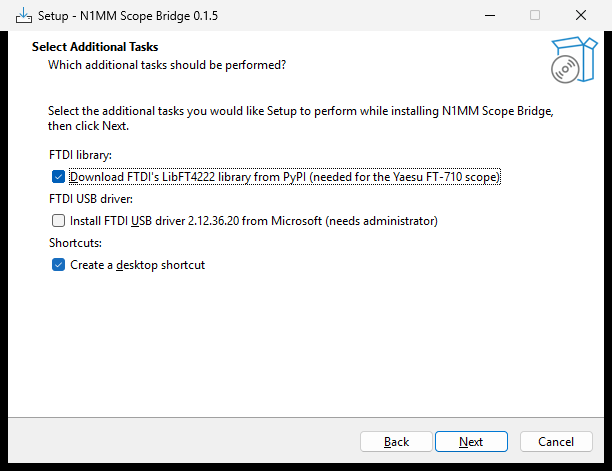
- FTDI's LibFT4222 library: setup downloads it for you (the option is on by default). The FT-710 sends its scope through an FTDI FT4222 chip, and this library reads it. Its license doesn't let us include it inside this GPL program, so setup fetches FTDI's signed files from a pinned source, checks them, and puts them in the program folder. No internet while installing? Untick the option and get LibFT4222 from FTDI's website.
Download
File: n1mm-scope-bridge-setup-0.1.5.exe, released 2026-10-16. SHA-256 checksum, to check the download:
764f9ef45a03f9295a41e2e27149993b8d4a89fb977cfa8bcdeeeddae39a9f6c
The release page has the release notes. Step-by-step instructions for this version are in the user guide for 0.1.5.
One installer for all Windows PCs
There is one installer. It checks your PC and installs the right version:
- 64-bit Windows (Intel or AMD processor): the full app. This is most PCs.
- Windows on ARM (Snapdragon laptops, or Windows 11 in Parallels Desktop on an Apple silicon Mac): setup asks which version you want. The x64 version (recommended) runs through Windows' built-in emulation, and setup downloads FTDI's library for it. The native ARM64 version is faster, but you add FTDI's ARM64 DLLs yourself from FTDI's LibFT4222 package (pick the unzipped package folder in Settings). In Parallels, connect the radio's FT4222 USB device to Windows rather than to the Mac.
- 32-bit Windows: the command-line version. The window needs 64-bit Windows, but the command-line version streams the scope to N1MM+ just the same. Start it with the Start menu shortcut N1MM Scope Bridge (command line).
The setup wizard
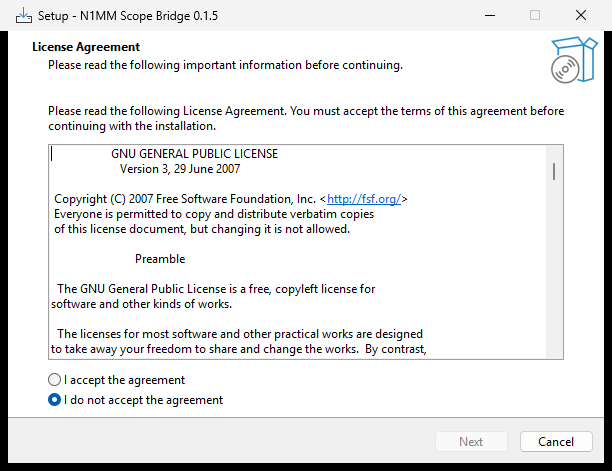
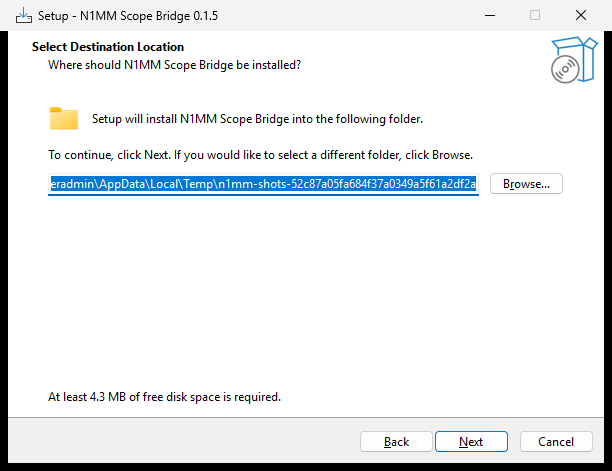
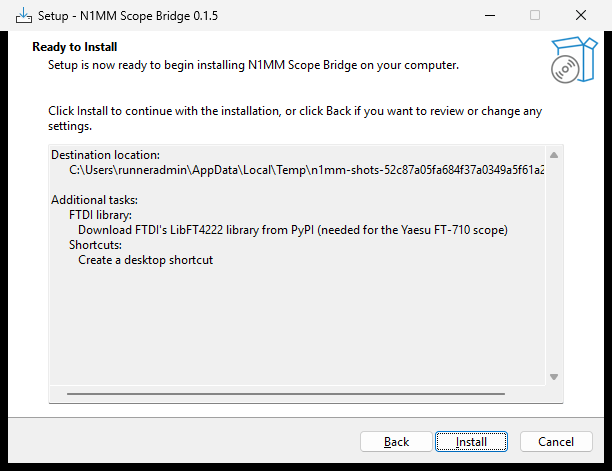
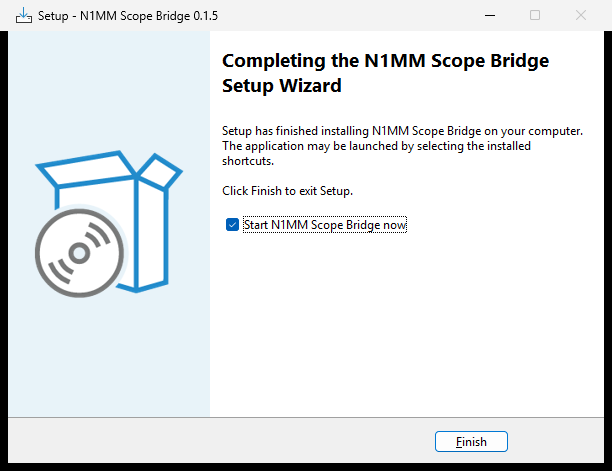
Setup installs into your own user folder, so it doesn't need administrator rights. It shows the GPL license, downloads FTDI's LibFT4222 library for you from the Python Package Index (PyPI) after you accept FTDI's licence terms (like any download, this shows PyPI your IP address; see the privacy notice), and offers a desktop shortcut. If Windows doesn't have FTDI's USB driver yet, setup also offers Install FTDI USB driver (needs administrator): only that step asks for administrator rights, and it installs FTDI's Microsoft-signed driver package from Microsoft Update Catalog after checking its signature (Windows Update normally installs it on its own when you plug in the radio). Microsoft's package has no ARM64 driver, so on Windows on ARM that option isn't offered and Windows Update is the source. The program never starts with Windows on its own. If you untick the FTDI download, it asks where you unzipped LibFT4222 instead (you can also set that later in the app).
If Windows warns about the installer
The installer isn't code-signed yet, so Windows SmartScreen may say "Windows protected your PC". Choose More info, then Run anyway. Each release lists the installer's SHA-256 checksum so you can check the download.
First launch
- Start N1MM Scope Bridge from the Start menu (or let setup start it).
- Choose your radio. If you unticked setup's FTDI download, set FTDI library folder to the folder you unzipped.
- Press Start. The status changes to Streaming and shows your radio's frequency and span.
- No radio connected yet? Turn on Use the built-in emulator to try everything first.